Make custom stickers for WhatsApp in seconds
Sticker Studio turns your photos, GIFs and emojis into personalised sticker packs. Add captions, pick fonts and colours, crop to any shape — then send the whole pack straight to WhatsApp.
Loved by sticker makers worldwide
Features
Everything you need to make stickers people love
A full sticker studio in your pocket — creative tools that stay simple enough to use in the middle of a conversation.
Any photo becomes a sticker
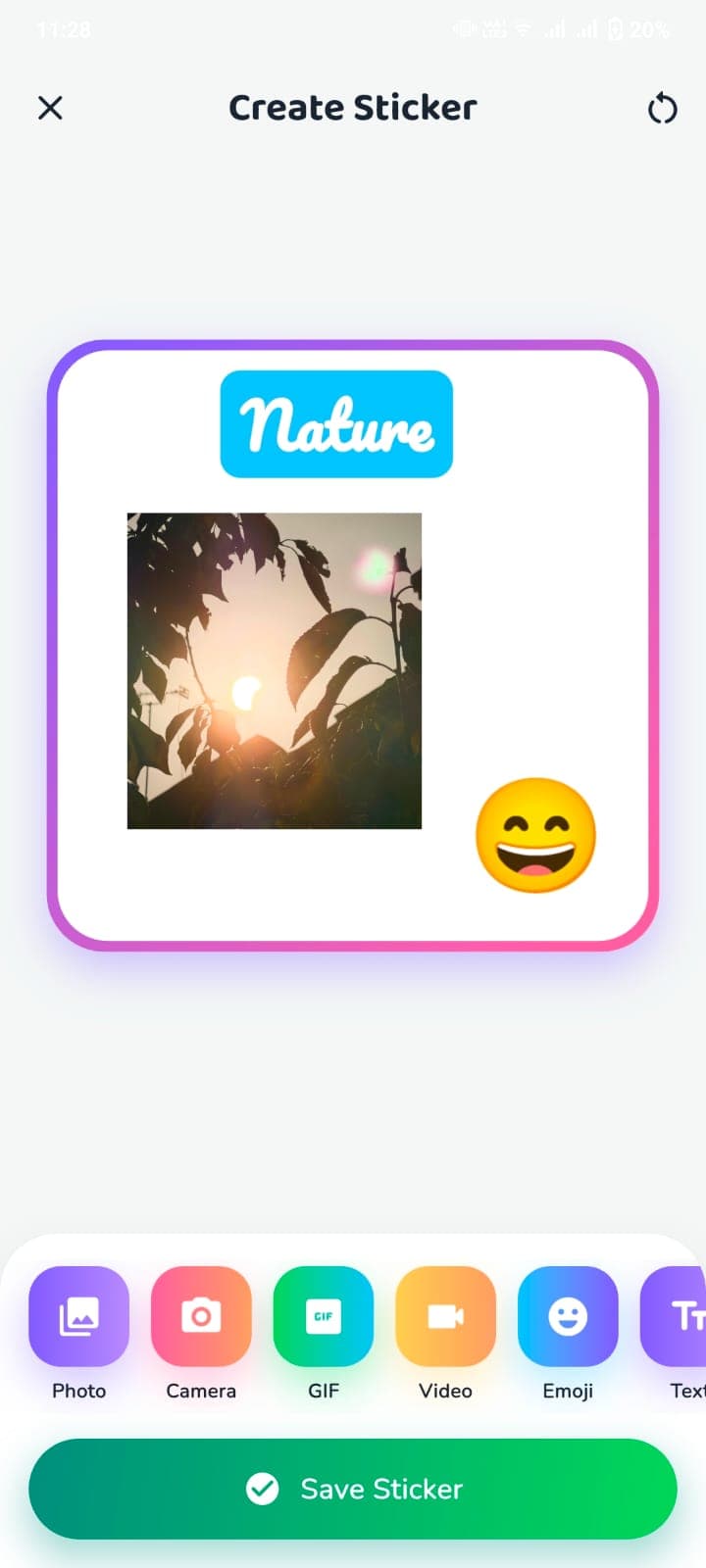
Pick from your gallery or snap a new photo. Sticker Studio cuts it to a crisp sticker ready for chat.
Add text your way
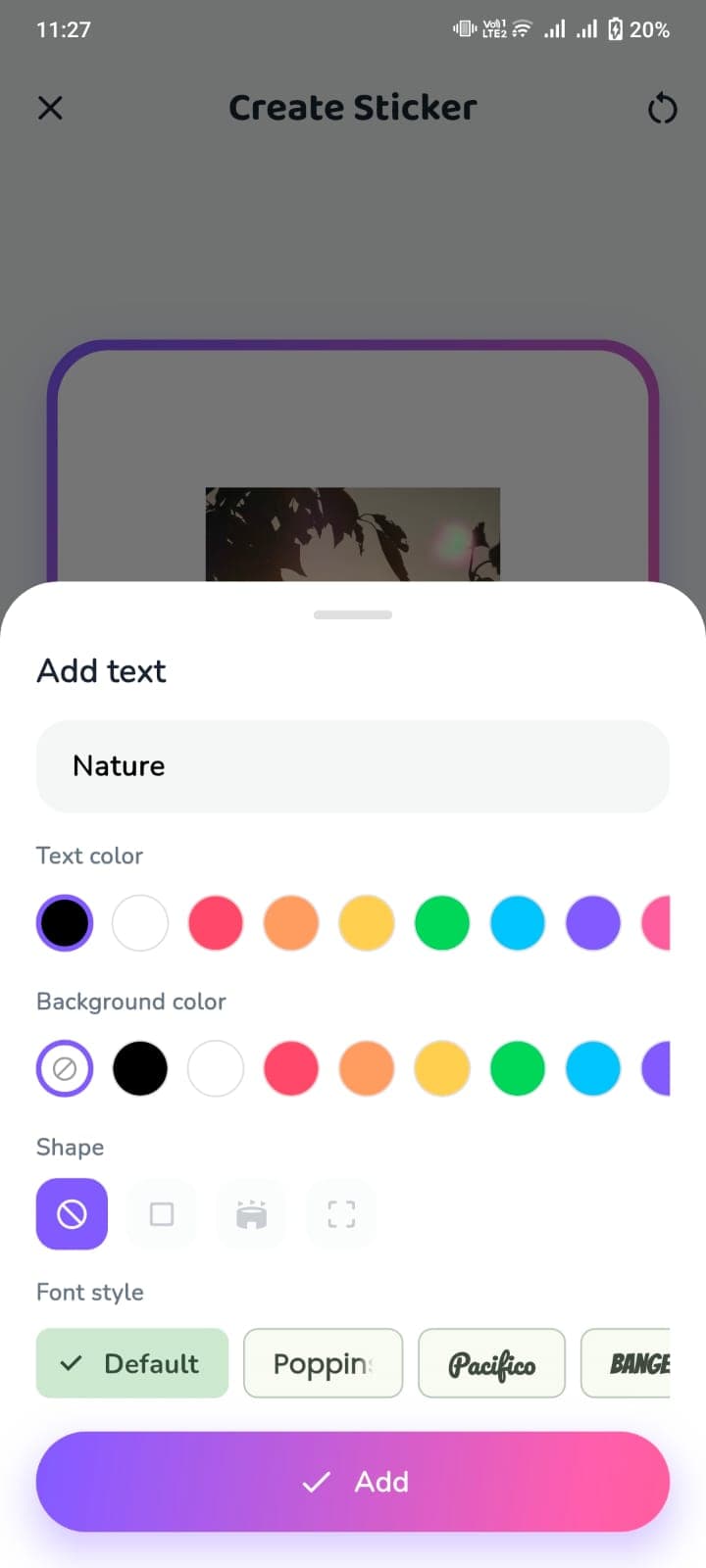
Type a caption, choose the text and background colour, and switch between Poppins, Pacifico, Bangers and more.
Crop to any shape
Square, rounded, torn-paper or free-form — shape every sticker exactly how you want it to look.
Stack emojis on top
Drop in emojis, resize and place them anywhere on the sticker for extra personality.
GIF & video support
Turn short GIFs and clips into animated stickers that move right inside your WhatsApp chats.
Organised sticker packs
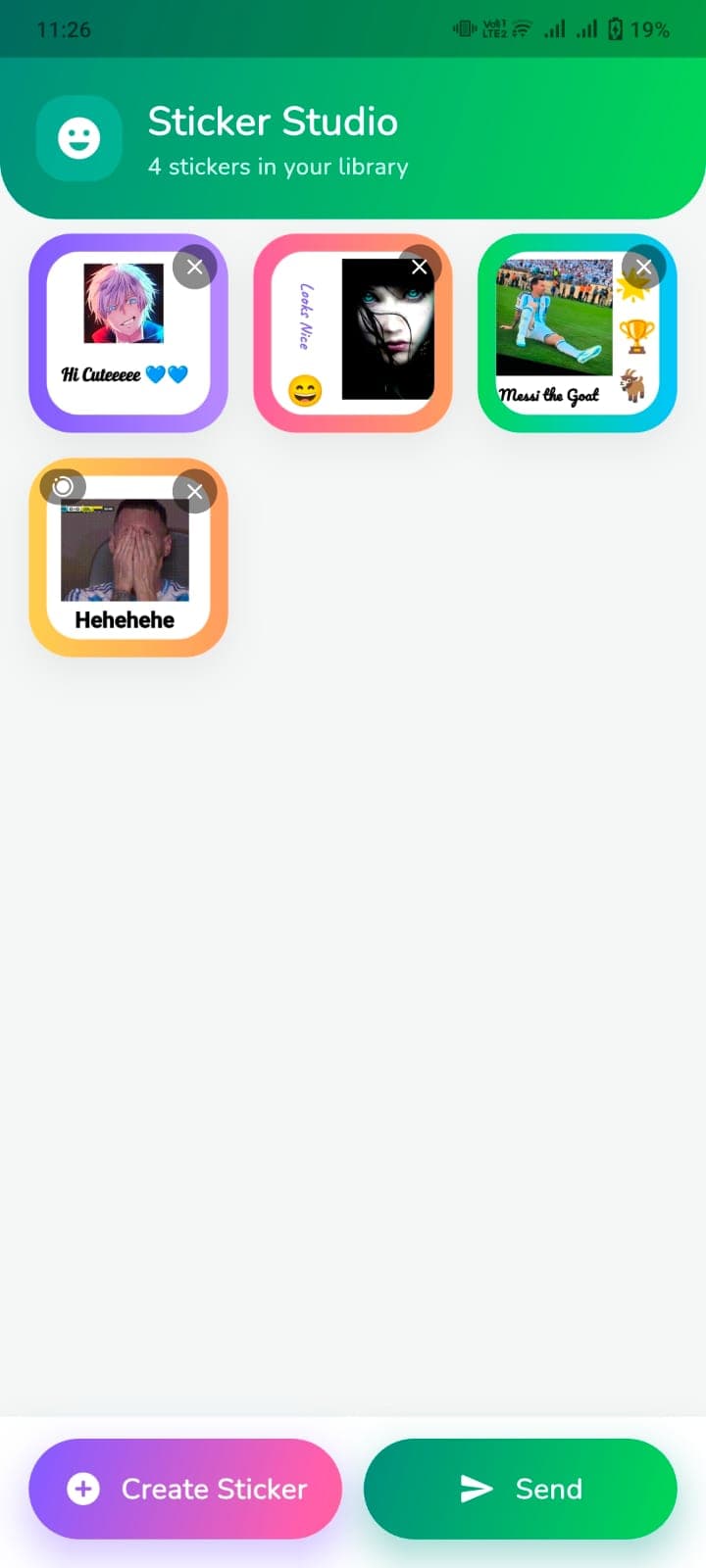
Every sticker lands in your library, grouped into packs so you can reuse and manage them fast.
One-tap share to WhatsApp
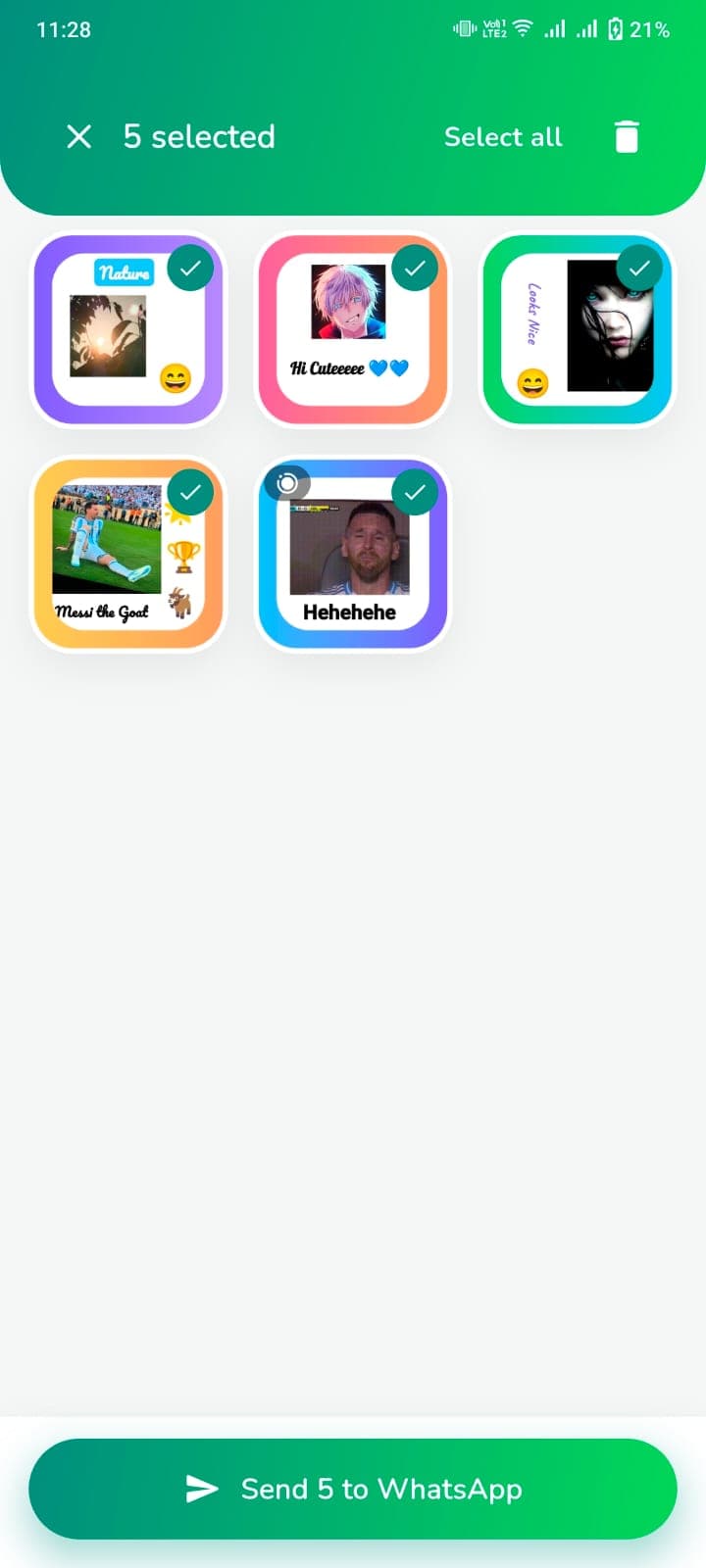
Select multiple stickers and send the whole batch to WhatsApp with a single button.
Fast & lightweight
No account, no clutter. Open the app, create, and share — the whole flow takes under a minute.
How it works
Three steps from idea to chat
No tutorials, no learning curve. If you can send a message, you can make a sticker.
Pick your source
Choose a photo, camera shot, GIF, video or emoji as the base of your sticker.
Style it
Add a caption, set text and background colours, pick a font and crop it to the perfect shape.
Send to WhatsApp
Save it to your pack, select the stickers you want and share them to WhatsApp in one tap.
Screenshots
Take a look inside the app
A clean, colourful interface built around one job: getting your sticker into the chat.
60s
Average time to make & share a sticker
6+
Sources: photo, camera, GIF, video, emoji, text
10+
Built-in font styles for captions
0
Sign-ups, subscriptions or paywalls to start
Why Sticker Studio
A sticker maker that gets out of your way
Plenty of apps can slap text on a picture. Sticker Studio is built end-to-end for the WhatsApp workflow — from importing media to pushing a finished pack into your chat.
Built for speed
The whole flow is designed to happen mid-conversation without breaking your chat.
Your photos stay yours
Stickers are created on your device. We don't need an account to make them.
Reusable packs
Everything you make is saved and organised, ready to resend any time.
Genuinely fun
Bright, playful and expressive — the app makes personalising stickers feel like play.
FAQ
Questions, answered
Yes. You can download the app from Google Play and start creating stickers straight away without an account or subscription.
Stickers are built to the WhatsApp sticker format, so you can send finished packs directly to WhatsApp chats. You can also save them to your device.
Yes. Import a short GIF or video clip and Sticker Studio turns it into an animated sticker that plays inside your chats.
Stickers are created on your device. You only need a connection when you're sending them into a chat.
On the create screen, tap to add text, type your caption, then choose the text colour, background colour, shape and font style — including Default, Poppins, Pacifico and Bangers.
Head to our Contact page or email shahidjutt6109@gmail.com. We read every message and try to reply within a couple of days.
Start making stickers your friends will actually use
Download Sticker Maker - Sticker Studio free on Google Play and turn your next photo into a sticker in under a minute.